DoHo-Flasher (My Genius) – Status 0x00EE: Manuelle Identifikation
Status 0x00EE (MANUALE): Das System kann die ECU nicht automatisch identifizieren, weil die Identifikationsnummern nicht in der Dimsport-Datenbank sind – ID-Datei an den Master senden, mindestens 30 Minuten warten, Gerät zurücksetzen, Full Update durchführen, ID wiederholen und abschließend die MOD-FPF-Datei schreiben.
Das Tool wechselt in den Status „MANUALE (0X00EE)“, wenn das System die ECU nicht automatisch identifizieren kann. Das passiert, wenn die Identifikationsnummern nicht in der Dimsport-Datenbank vorhanden sind.
Die folgenden Anweisungen beschreiben das weitere Vorgehen:
1. Den Status der My-Genius-Einheit prüfen, um dies zu bestätigen.
2. Die ID-Datei vom My Genius herunterladen und per E-Mail an den Master senden.
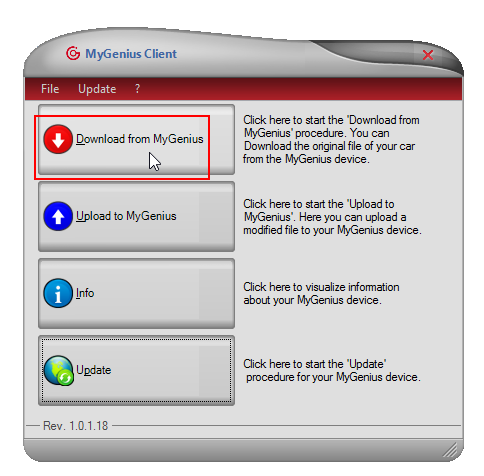
3. Der Master gibt Bescheid, sobald die Einstellungsdatei in der Datenbank verfügbar ist.
ACHTUNG: Nach der Bestätigung durch den Master MÜSSEN mindestens 30 Minuten gewartet werden, bevor mit den nächsten Schritten fortgefahren wird.
4. Das Gerät zurücksetzen.
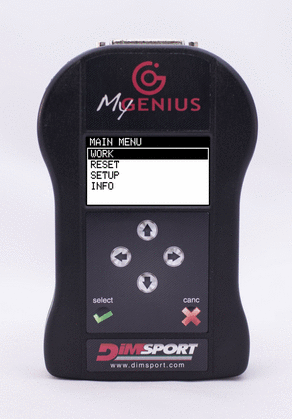
5. Ein vollständiges Update (Full Update) durchführen.
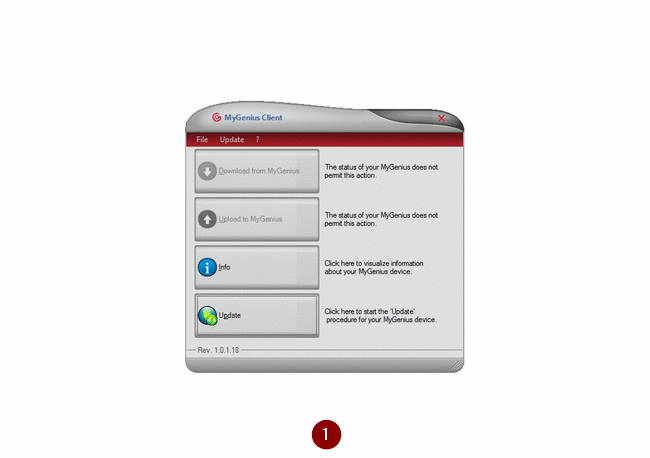
6. Die Identifikation (ID) des Fahrzeugs erneut durchführen.
N.B.: Die Identifikation läuft jetzt automatisch ab. Erfolgt sie weiterhin manuell, muss der Master kontaktiert werden.
7. Die ID-Datei herunterladen, per E-Mail an den Master senden (siehe Schritt 2) und auf die modifizierte Datei (_MOD.FPF) vom Master warten.
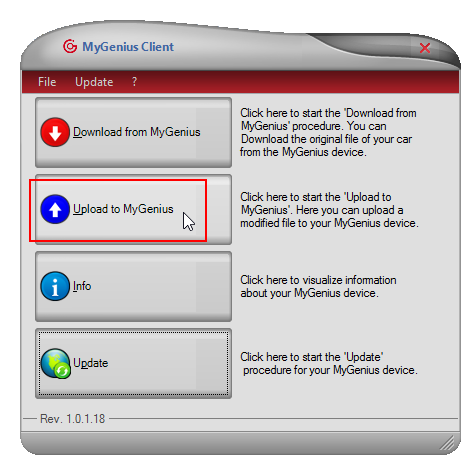
8. Zum Schluss die .FPF-Datei hochladen und in das Steuergerät schreiben.
Status 0x00EE (MANUALE): the system cannot automatically identify the ECU because the identification numbers are not in the Dimsport databank – send the ID file to your Master, wait at least 30 minutes, reset the device, perform a full update, repeat the ID and finally write the MOD .FPF file.
The tool goes in the "MANUALE (0X00EE)" status when the system can't automatically identify the ECU. This happens when the identification numbers are not present in the Dimsport databank.:
Follow the instructions here below on how to proceed.
• Check the status of your My Genius unit to confirm.
• Download the ID file from My Genius and send it to your Master via email.
• The Master will notify you when the setting file is available in the databank.
ATTENTION:
a
fter the confirmation from your Master, you MUST wait AT LEAST 30 minutes before moving to next steps.
• Reset the device.
• Perform a full update.
• Perform again the identification (ID) of the vehicle.
N.B. Now the identification will be automatically carried out. If it's still performed manually, you have to contact your Master.
• Download the ID file, send it to your Master via email
(see step number 2) and wait for the modified file (_MOD.FPF) from the Master
.
• Lastly, upload the .FPF file and write it into the ECU.