DoHo-Flasher (My Genius) – MOD-Dateien vom Gerät löschen
Originaltitel: Delete MOD files from My Genius tool
MOD-Dateien vom My Genius löschen: My Genius Client öffnen, „Info“ klicken, Datei im Dropdown-Menü wählen, „Delete MOD“ klicken und mit „Yes“ bestätigen.
1. Die My-Genius-Client-Software öffnen und auf die Schaltfläche „Info“ klicken.
2. Im Dropdown-Menü die Datei auswählen, die gelöscht werden soll.
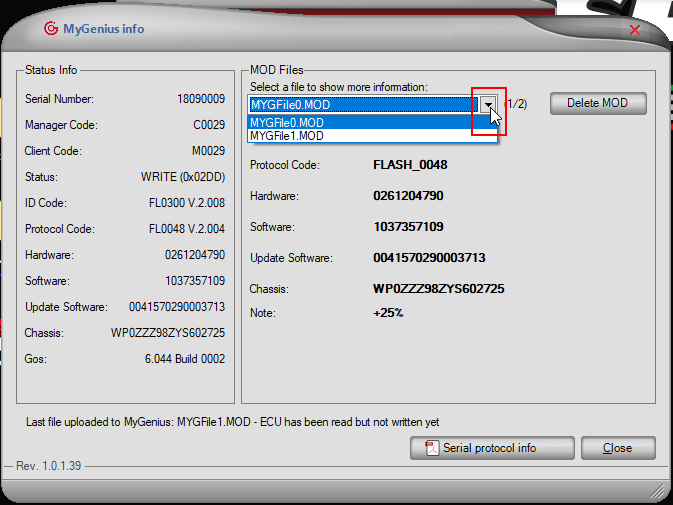
3. Auf die Schaltfläche „Delete MOD“ klicken.
4. Mit „Yes“ bestätigen.
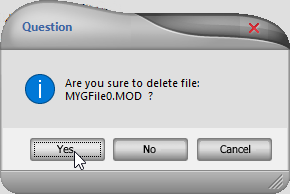
Delete MOD files from the My Genius: open the My Genius Client, click 'Info', select the file from the drop-down menu, click 'Delete MOD' and confirm with 'Yes'.
• Open the My Genius Client software and click on "Info" button.
• Select from the drop-down menu the file you want to delete.
• Click on "Delete MOD" button.
• Click on "Yes" to confirm.